✨ Markdown to PDF Bot, Your OpenClaw Telegram Companion
Telegram Markdown beautifully rendered as PDF
OpenClaw's Telegram integration can't display tables or LaTeX correctly. Our companion bot converts your messages into crisp, shareable PDFs in seconds — right inside Telegram.
📄
Pixel-Perfect Tables
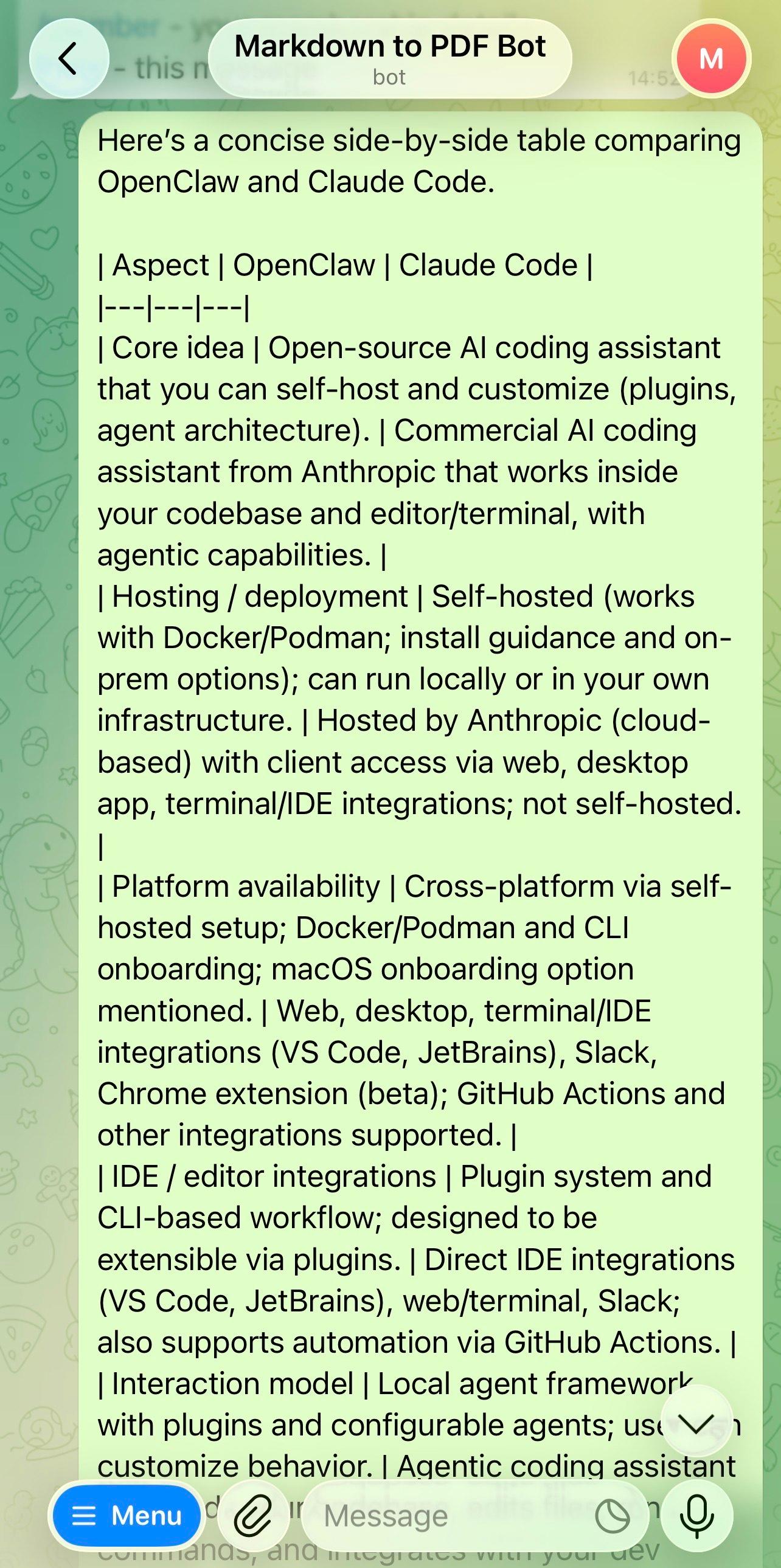
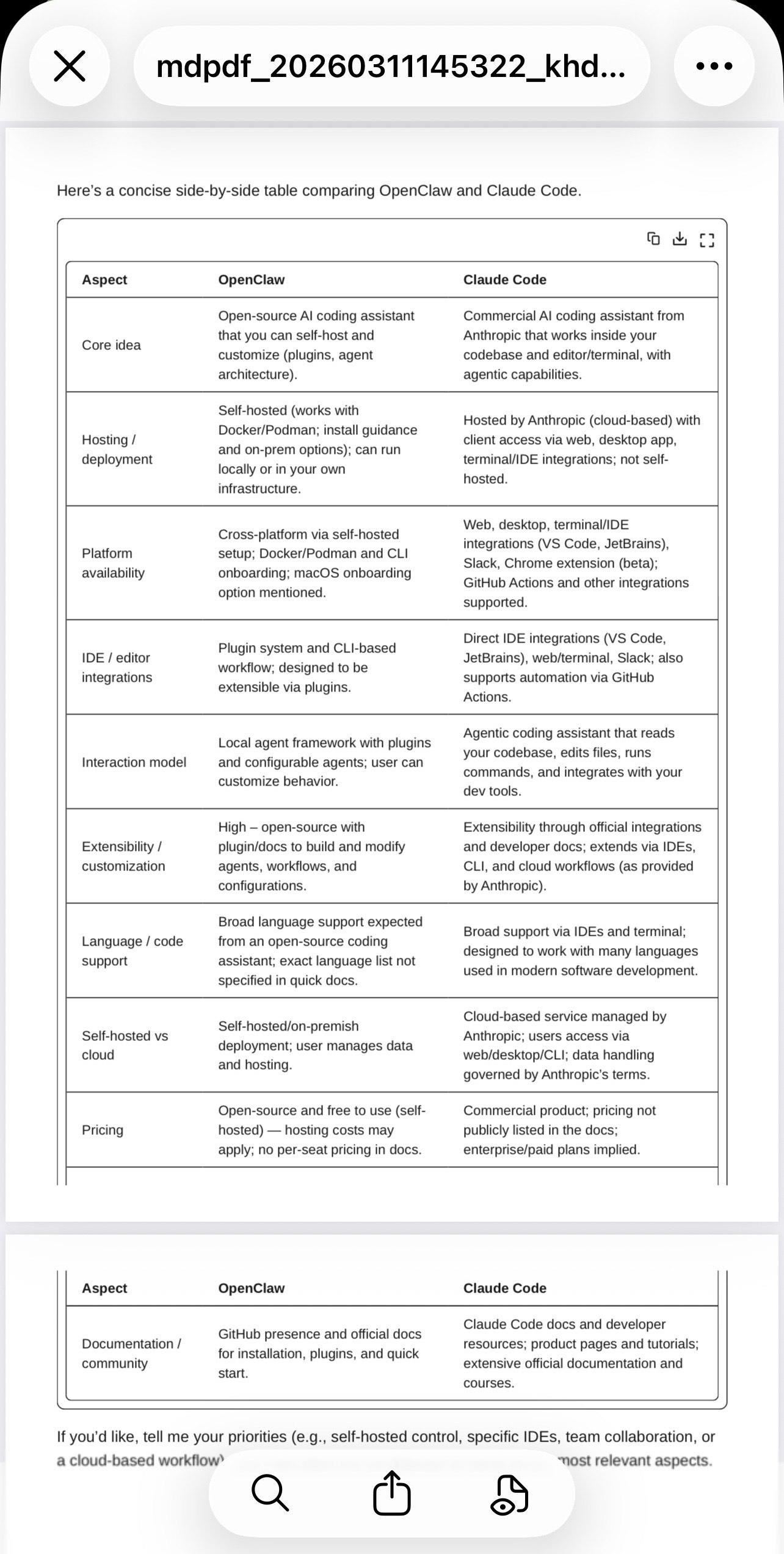
Markdown tables render with proper borders, padding, and alignment in the exported PDF.
∑
LaTeX Math Support
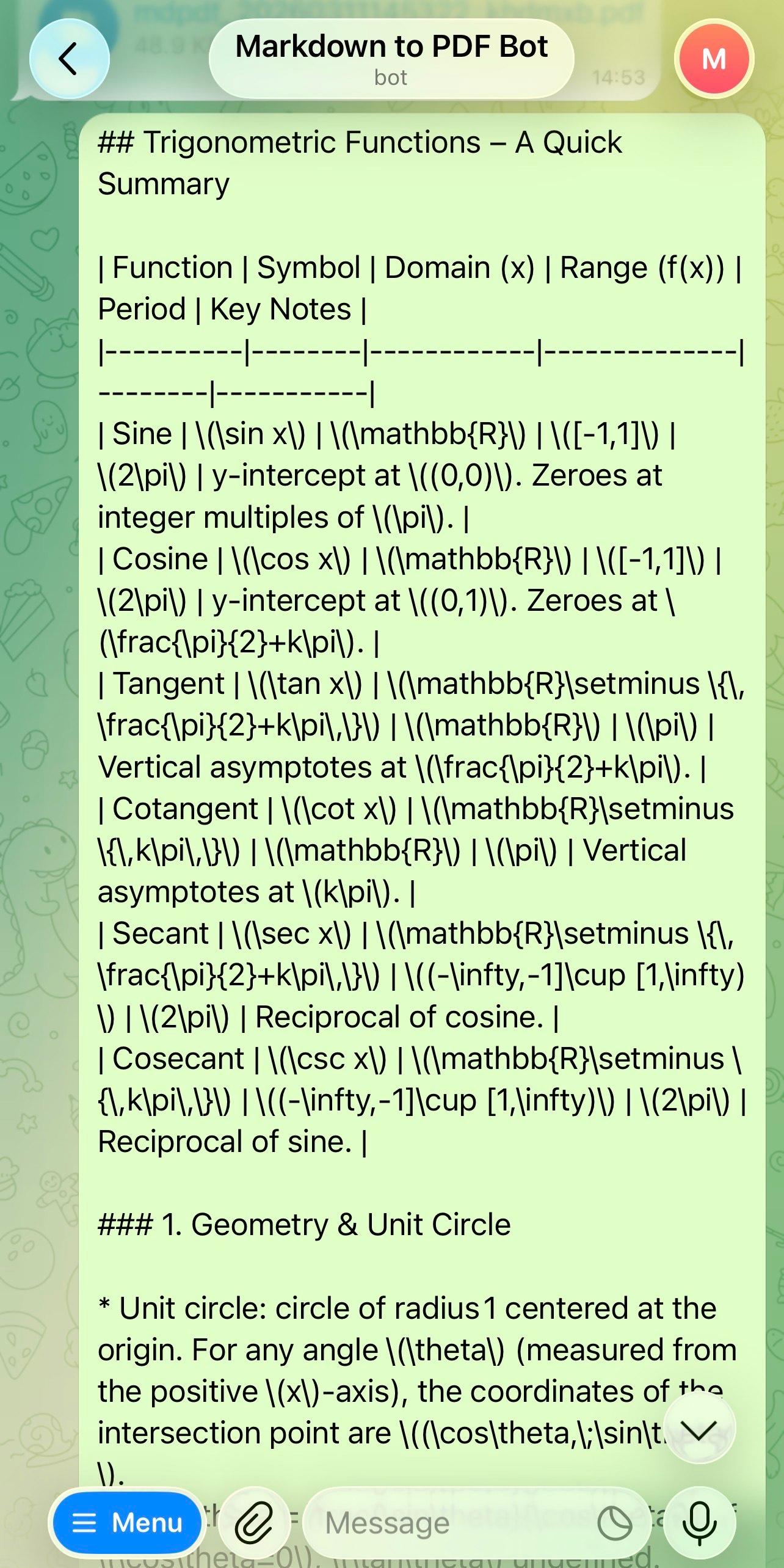
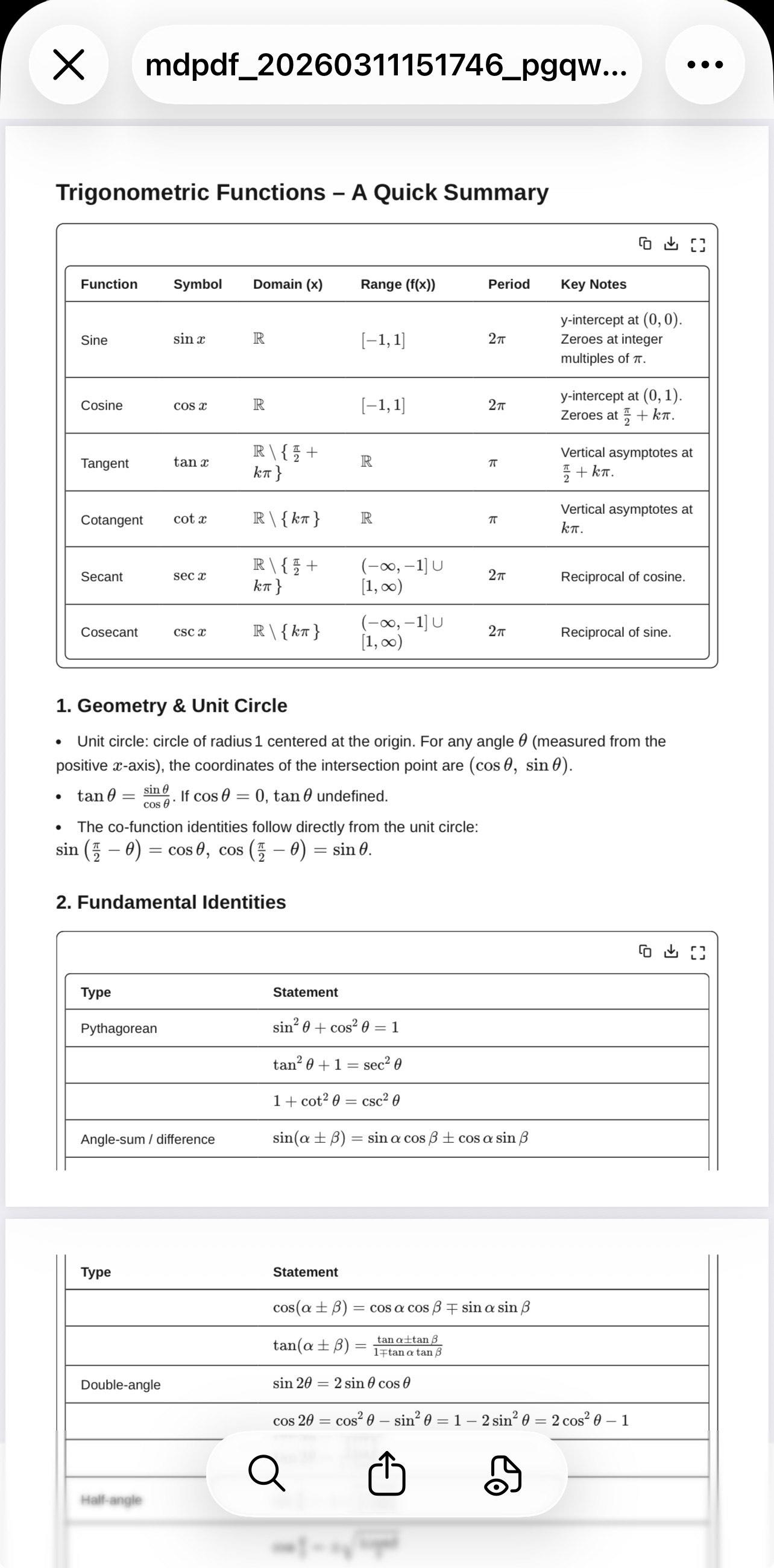
Inline and display LaTeX expressions are rendered via KaTeX so your equations look professional.
⚡
Instant Conversion
Send a message, get a PDF back in seconds — no browser, no upload form needed.
🔗
Works Anywhere
Use it in private chats or Telegram groups. Any device with Telegram can access the bot.
Before & After
See how raw Telegram rendering compares to a clean PDF generated by the bot.
Tables
✗Telegram (broken rendering)
✓Bot-generated PDF (perfect rendering)
LaTeX Math
✗Telegram (broken rendering)
✓Bot-generated PDF (perfect rendering)
Ready to fix your Telegram formatting?
Stop fighting broken tables and invisible LaTeX. Add the bot and generate perfect PDFs in one tap.
🤖 Open @TurnMDtoPDF_BotFAQ
Common questions about the bot.
What is Markdown to PDF Bot?+
It's a Telegram bot (@TurnMDtoPDF_Bot) that converts your Markdown or plain-text messages into beautifully rendered PDF files, solving the limitation where OpenClaw's Telegram integration can't display tables, LaTeX, or complex formatting correctly.
What types of content can it convert?+
The bot supports full GitHub-Flavored Markdown — including tables, headers, bullet lists, code blocks, bold/italic text — as well as LaTeX mathematical expressions rendered with KaTeX.
How do I use the bot?+
Simply start a chat with @TurnMDtoPDF_Bot on Telegram, paste or send your Markdown message, and the bot will reply with a ready-to-download PDF within seconds.
Does it work in group chats?+
Yes! You can add the bot to any Telegram group. If it is added as an Admin, it will respond to every non-bot message in the group. If it is added as a normal member, to get the bot to respond, you will need to send the message by replying to any message from the bot.
My code blocks are not rendered in the PDF. Why is that and how do I fix it?+
Telegram already renders code blocks by itself, and it removes code blocks formatting when sending the message to the bot. If you prefer code blocks being rendered in the PDF, before sending the message, select all the text, format it as 'Monospace', and then send it. The bot will then render the code blocks in the PDF.
Is it free to use?+
Yes, you get 2 free conversions every day. If you need more, you can purchase 1-Month ($1.99) or 1-Year ($9.99) membership for unlimited conversions.